Archive for the ‘Social Media’ Category
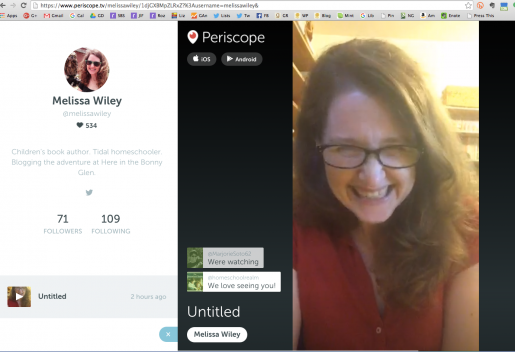
I’ve been meaning for a while now to give Periscope a try, because I think it would be a great platform for the kind of book- and resource-sharing I like to do here on the blog. This evening I decided to pop on for a trial run, just to see how the platform worked. To my surprise, viewers started arriving within seconds! I spent about ten minutes chatting with some very supportive friends, and I loved it. I’m hooked. This is something I can have a lot of fun with.
I’d love to know what topics you’d be interested in hearing me chat about. Today’s viewers gave me some excellent suggestions, including doing some read-alouds of my work. I’m keeping a list of ideas and will try to do a scope at least once a week, if I can work out some better lighting than what I was getting in my bedroom for today’s impromptu recording.
Because I hadn’t yet signed up with katch.me to archive my scopes, this one will only be around for the next 20-something hours. By tomorrow evening (Pacific time), it’ll be gone. (Sunday note: I was wrong! Katch.me caught it after all.) I’ll aim for another round early next week, so let me know in the comments here what you’d like to chat about! And thanks so much to the sweet friends who dropped by and encouraged me with all those happy little hearts bubbling up on my screen. 🙂
I’ve been online since April, 1995. Quit my job at HarperCollins, bought a modem, unwrapped one of those AOL starter disks that were ubiquitous in the middle of that decade, created an account—screen name LissaNY—and I was off and running. After my free trial ran out, I think we had something like five hours of dialup a week? Ten, twelve at most? Does that sound right? Whatever the cheapest package was.
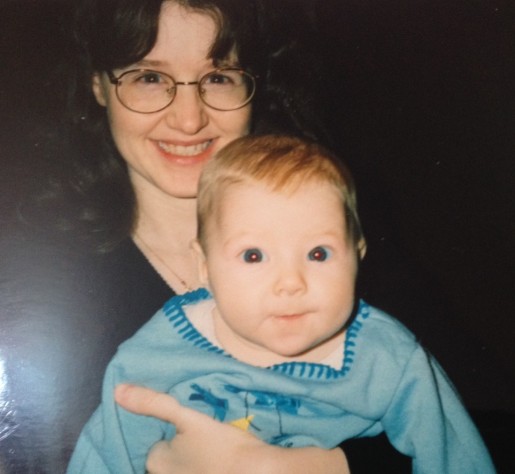
Not long after that, Scott’s company (DC Comics, subsidiary of Time Warner, which bought AOL) gave all employees a free AOL account with unlimited minutes. His screen name was StratNY, in honor of his Stratocaster. I spent a lot of time on that account, reading the pregnancy and new baby boards, waiting for Jane to arrive. She was two weeks late. By the time she was born, I had a network of invisible friends—many of whom are still friends to this very day. One by one, we delivered our babies and moved to the Baby’s Here, Now What? board. After a while, we jumped to a listserv—this big group of us who’d had babies within a four- or five-month window. Nineteen years later, more than a dozen of those women are still chatting via email every single day. On Facebook, too, but mostly on the list. We’ve met in person, in various configurations, numerous times. Our babies are in college now.
There was a big schism on the listserv around the time Jane was 18 months old. A lot of women left, and I’ve lost track of most of them. I still remember things they wrote, though, back in those days. I remember the names of their kids. When Jane was diagnosed with leukemia at 21 months, a big group of the women who’d left our original list joined forces to send us a giant box of treats from Zabar’s. Several friends from the original list visited me in the hospital, traveling from New Jersey, Boston, and even Chicago. Another woman we knew on AOL, though I don’t think she was part of the listserv, died of complications after childbirth, so horrifying, and we all made squares for a quilt for the baby. I guess that would have been before the schism, because I remember one of the departees, a New Yorker, being interviewed on the TV news about the group effort for the quilt. They shot footage of her sitting at her computer, typing a post to our group. It was such a novelty then, newsworthy, all these strangers behaving like friends. I’m not sure the reporter was convinced we actually were friends.
We are, though.
Somewhere in my first few months of being online, I began poking around the education boards. People were already asking us where we planned to send the baby to school. School? I was still trying to master the art of burping her. I flailed around a bit, reading about private vs private and whatnot, and then suddenly I discovered the homeschooling boards and our lives were never to be the same. Home Education Magazine was active on the AOL hs’ing boards back then—moderated them or something like that—and I remember Helen Hegener being a presence. And Sandra Dodd, whose kids were pretty young at the time, but she was already speaking with conviction and wisdom. Pam Sarooshian was another voice who stuck out. I seldom chimed in, I was mostly reading while nursing my infant, but boy howdy was I taking notes, mental and otherwise. I subscribed to Growing Without Schooling magazine and ordered a bunch of back issues to boot. To my mind, GWS prefigures homeschooling blogs—all those parents writing in to share details about their families’ learning adventures. I always cite John Holt, John Taylor Gatto, Charlotte Mason, and Sandra Dodd as the big influences on my ideas about home education, but probably the greatest influence was GWS: reading dozens of letters by parents in the trenches about the myriad ways their kids were learning outside school. That magazine was a revelation. OH I SEE, was my overwhelming response to the first issue I read. I GET IT. THIS IS FOR US.
I made a friend on the AOL hs’ing boards, Pam, whose son had the same birthday as Jane. We were in close daily touch for years, and when Jane got sick Pam sent the most amazing gifts for the hospital. A little box of things from nature—driftwood, beeswax, beans, seeds—pieces of nature Jane could touch and smell from her bed. We still have it, all those beans and twigs intact. There was a vanilla bean, too, inside a corked tube; I remember how its lovely scent would rise above the smell of betadine and latex. Pam also made a little comb-bound, laminated book full of pictures of road signs. Her son loved street signs and she thought Jane might enjoy them too. She did, she read that book—I almost said “to pieces” except it was so well constructed it, too, is still intact.
A year or so later, I found yahoogroups and joined a whole bunch of homeschooling lists. Friends I made there, too, are still with me. Like, really with me, besties. One of them became Huck’s godmother. Eventually email lists became discussion boards (and fraught with endless drama), and bit by bit some of those faded to silence as many of us migrated to blogs and, later, Facebook. Other boards are still active, and I’m the one who faded away. I moved here, to my little homestead on the internet. January will be ten years. I built my first website the summer before I started the blog, so that’s ten years ago exactly.
Blogs brought new friends. Most of you who comment regularly here are friends given to me by Bonny Glen. Sometimes I go back and reread a friend’s blog from the beginning, if the archives are public. What heady days those were! Sharing with abandon, forming blog-rings so we could hop from one to the next in a long, delightful chain. I miss blog-rings! The little “previous | next | random” links at the bottom of the page. I was crazy about that “random” feature—it was like a teleporter. Click! Here I am in someone’s kitchen! Look, she’s making a pie!
I was thinking about the early days today because I had it in my head to write a post called “Things I’ve Learned About My Online Life.” Number 1 was: BLOG FIRST. (I never got to number 2.) This struck me because I’m realizing I turned my old writing pattern upside down, and it’s got me feeling unsettled and less productive. In the early days—years—I used the blog as my transition from Mom time to Writer time. Writing about the kids (i.e., about momming) for 20 minutes helped me shift from one mode to the other. By the end of a post, I was fully in writing mode and could turn my attention to the next chapter of Martha or Charlotte. It was a pattern that worked beautifully for me, through many novels.
Now my online time is splintered between many activities—editing, researching, banking, socializing, writing, blogging, taking classes, watching compilations of 80s commercials (you know, important stuff)—and I’ve begun to feel wistful about the simpler days of yore. Olden times, when I was astonishingly productive, writing posts for not one but as many as FOUR blogs (Bonny Glen, Lilting House, daily notes, private family blog), two fat historical novels and several early readers a year, dozens of freelance articles, and thousands of words a week in discussions of homeschooling methods and philosophy. Good gravy, that was a lot of writing.
WordPress tells me I’ve published 3,081 posts here at Bonny Glen. That tally includes Lilting House, too, which I folded into this site when ClubMom shut down. I can’t begin to guess how many words that is, especially if you add in the lengthy replies I used to make in the comments. Hundreds of thousands. (ETA: Scott, doing some quick math, reckons I’ve posted upwards of two MILLION words here. Yow.) Enough for a book, several books probably. I have it in mind to collect some essays from the site for a book on tidal homeschooling at some point, a mix of new content and old posts. The trouble is, whenever I start to work on it, I find myself wanting to turn each new essay into a post instead—blogging spoils you with the instant readership, the immediate connections. Writing about tidal homeschooling without all of you chiming in in the comments feels so lonely!
And yet I’d like to persevere and make it happen. Sometimes I think the book I’d like to write isn’t about homeschooling—it’s about the online life, about these text-first connections that become real relationships. Or, well, what I’d really like is to write both books. I got my first baby and my first modem in the same month. (Practically.) I don’t know, have not experienced, motherhood separate from the internet. There’s a story there. New parents now give thought to the Google-factor when naming their babies; some parents buy domain names and lock down gmail addresses even before the child is born. That’s practical, I get it. But I realize I and some of my friends—some of —occupy this narrow, unique sliver of parenthood: the space belonging to the parents who got online first. We didn’t know (or hardly experienced) parenting without the internet. But we grew up without it, and we remember what a world-shift coming online was for us. We may have as many friends online as off. We’ve watched each other’s children grow up through the word-pictures we sketched on discussion boards and elists, the photos we pepper our social media feeds with, and—integrating words and pictures—on our blogs.
Blog first, I’m telling myself. Not with agenda, not toward any purpose other than chronicling the adventure and integrating the two dominant sides of myself. The mother, the writer. “Blogger” is such an unlovely word but it strikes me that it more than any other identifier unites those two parts of me. My blog pulls all my pieces together. It’s the home ground I return to after venturing out into new worlds. I suppose I should have thought up this post five months from now, on its tenth anniversary. But if I’ve learned anything from blogging, it’s: Write it down today, while the thought is fresh. Scheduling a topic for later turns the post into an assignment, which dramatically lowers the odds of its eventual completion. (I really am working on getting that habits post up, though!)
There! It took me all those words to figure out what I needed to know. Blog first—that’s the thought I began with. Blog fresh—that’s what my brain was trying to puzzle out. Blog lightly, in a manner of speaking—not in the sense of avoiding deep or serious topics, but without that sense of pressure and polish that rules the rest of my writing life. So now I guess I’ve gone and written a New Year’s Resolution five months early, too. Blog freehand. How funny this is—I didn’t even know I needed to give myself a talking-to!
I’ve made an uneasy peace with becoming a product sold to advertisers. Now it seems I’ve been a lab rat, too.
The AV Club reports:
Scientists at Facebook have published a paper showing that they manipulated the content seen by more than 600,000 users in an attempt to determine whether this would affect their emotional state. The paper, “Experimental evidence of massive-scale emotional contagion through social networks,” was published in The Proceedings Of The National Academy Of Sciences. It shows how Facebook data scientists tweaked the algorithm that determines which posts appear on users’ news feeds—specifically, researchers skewed the number of positive or negative terms seen by randomly selected users. Facebook then analyzed the future postings of those users over the course of a week to see if people responded with increased positivity or negativity of their own, thus answering the question of whether emotional states can be transmitted across a social network. Result: They can! Which is great news for Facebook data scientists hoping to prove a point about modern psychology. It’s less great for the people having their emotions secretly manipulated.
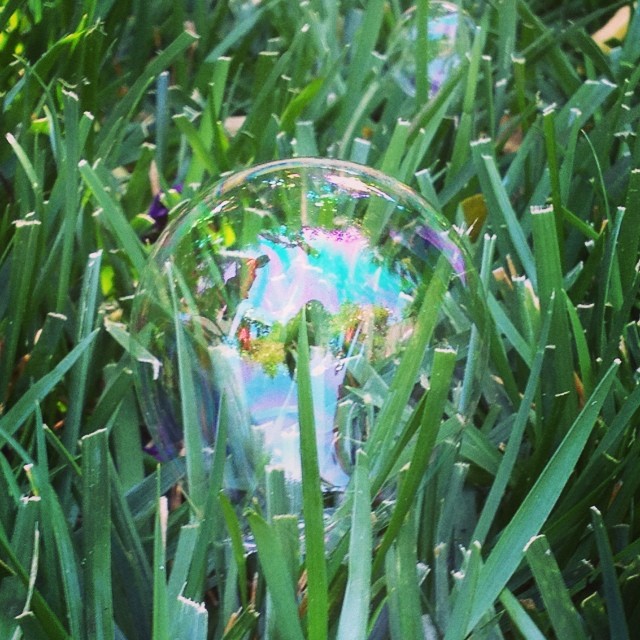
I uploaded this picture last night, intending to write my usual sort of daily-chronicle post. Then my eye wandered from the rainbows inscribed on the bubble to the blunt, browned ends of the grass and I got distracted by the ruthlessness with which we shear off the tender edges of nature. I wandered off to bed, musing, leaving the post unwritten. (Huck’s finger is much improved, was the gist.)
This morning, after reading the article quoted above (about a different kind of bubble, a ruthlessness altogether unsurprising but disgusting nonetheless), I came back here and found the photo waiting. And now I see that I’m in the picture too, there inside the bubble, taking a photo of the green world on the other side of the film. You could work up quite a metaphor there, obvious, clumsy, but apt: the insubstantial bubbles, the world outside, the illusions of people that aren’t the persons themselves.
But my frustrations aren’t philosophical (of course Facebook was always going to exploit us in every way possible) but practical. The reason a billion people have handed over their (our) data to Facebook is, at heart, a practical one: it’s the most efficient platform anyone has yet come up with for letting us keep in touch with a large number of friends and family at once. We failed at writing letters. Good phone conversations, while satisfying, take immense chunks of time. If you want to keep up with each other’s daily lives, the little things, you have to talk every couple of days (at the least) or else there’s too much ground to cover and you must out of necessity abridge.
Yahoogroups worked, for a while—you could engage in meaningful discourse or chummy banter with a good-sized group of people at once. But generally most of those relationships were new, were forged because of the group, by means of the group. I made some lifelong friends that way (hello, TAMs! hello, Karen!) but (I don’t like that ‘but’; it sounds like a devaluation of the friendships on its left, and that isn’t what I mean at all)—but—but my high-school friends didn’t form a Yahoogroup. My college friends didn’t. We kept to our phone calls, our occasional letters and visits. I read letters six times and treasured them, and didn’t write back, or did but didn’t stop for stamps.
After a while, most of the Yahoogroups I was part of morphed into discussion boards (more efficient, because they allowed for topic-sorting; less efficient, because they required administration and management) or faded into disuse. I think I’m still signed up to forty-odd lists. I get mail from three, and read one and a half. It’s years since I logged into a discussion board.
Then came blogs. Those of us still doggedly blogging for personal reasons look back on 2005 and 2006 with nostalgia: we remember what it was like in those days, less than a decade ago, when we were for the first time opening our front doors and saying here’s my house, come in. We shared too much, made friends, celebrated art and nature, got in fights, copied one another or got furious about being copied—all the same things we’d done on AOL in 1995 and in email groups in 1999, only now with photos of our children. We formed new and very real friendships: real and strange, because we knew (know) so much about each other and have watched each other’s children grow up, and yet we live so far away some of us may never meet. When one of us goes silent for a while, the others worry. Sometimes I’ll think: if she dies, I might never know what happened.
That’s if she isn’t on Facebook. Because that’s what Facebook does better than blogging—connects wide groups of people and spreads news they wouldn’t necessarily publish on any other website—and Facebook is why only a fraction of my friends-who-blogged are blogging still. Facebook IS blogging. It’s everyone blogging at once on the same platform, a platform cleverly managed (manipulated) for purposes we all agree are greedy at best, and not guided by principles that put our best interests remotely near the top of the priority list.
I love Facebook. I hate Facebook. I have loved and hated it since the day I joined. Facebook gave me back friends I had lost: that’s the sum total of my reason for loving it, and it’s immense. All those other platforms brought me new friends. Facebook reunited me with old ones. I don’t need to dress it up in metaphors. I’d lost touch with some of the people I loved best, and Facebook gave them back to me. It gave me what blogging didn’t: daily contact with beloved cousins and old school friends. Every day, it gave (gives) me photos and anecdotes of their lives, their children, their pets, their loved ones, their work. How can I measure the value of that?
If all the people I loved were inclined to blog—to blog about their personal lives, no less—I wouldn’t need a platform like Facebook. Somehow, Facebook accomplished the miraculous feat of convincing all these old friends to blog as we were doing, with oversharing and our children’s faces and outrage and sorrow and delight. And commenting is easier there, it just IS: fast, efficient (it always comes back to efficiency), and rewarded by a heartening LIKE. And—significantly—more conversational. You can reply back and forth quickly, in real-time like chat. Don’t blog comments feel more formal somehow? They didn’t use to. I feel like we used to chitchat more in the combox, but maybe that’s nostalgia. It’s probably just the time delay. If I reply to your comment here, it’s probably a day after you wrote it, and who knows if you even see the reply.
It’s strange, actually, the way we feel safer about sharing our personal stories on Facebook. We know we’re the product there; the evidence is thrust before us every time we open the tab and see a sidebar ad for a book we looked at on a different website the day before. We rail about the way they keep resetting the news feed from ‘most recent’ to ‘top stories,’ we fume at each sneaky privacy-policy change, we wince each time another website wants us to log in via Facebook before we can leave a comment.
But we go back, because that’s where our friends are posting photos of their their babies, their travels, their graduations. Because it’s a mini college reunion every time one of us posts and all our classmates chime in, laughing over an old shared joke. Because we have history together, and we care about one another’s present-day lives. Because if something serious happens, you’re going to tell your Facebook friends before you put it on a blog.
To leave, or to make the decision never to go in the first place (for reasons I respect and with a resolve I may at times envy a little), is to cut yourself off from a certain flow of information. There’s plenty of nonsense and trivia on Facebook, as there is in all forms of human interaction, including some of the best phone calls I’ve ever had. But there’s a great deal of the Real, the Good, the True there too, and it’s that—not simply the dopamine hit, as many theorists would have us believe—that brings us back. It’s genuine curiosity. It’s, to be blunt, love. I love you and I want to know how you’re doing. If Facebook is where you’re showing me, how can I stay away?
I would pay for an ad-free social connection site with no data-mining and no gross user manipulation of the sort revealed in the newly published study described in the article above. (You can click through from the article to the study itself.) But—here’s what I know. I know it’s unlikely a critical mass of my friends and relatives would too. Facebook caught us because it was free, and because there was a numerical tipping point: so many of us are there now, you really are missing something if you aren’t. Which isn’t to say anyone should be there who doesn’t want to be: I wouldn’t presume. As I said, I respect and admire their reasons for staying away.
But I’m a practical person, and I know what I’ll miss out on if I leave. I’m 45 years old and I’ve lived in a lot of places. I love a great many people. As I said on Facebook this morning when I shared the link above—my last act before logging out for a breather—”But how will I get my YOU fix?”
Following up on yesterday’s post—some good questions came up in the comments. I’ll tackle this one first: “How does the Send to Kindle app work?”
Send to Kindle
I mentioned how much I rely on Send to Kindle to read long-form posts and articles later, away from my computer. This is an official Amazon app but there are third-party equivalents, too. (See Send to Reader, below. Instapaper is another.)
How it works: I installed Send to Kindle in my browser. (There are Chrome and Firefox versions, PC and Mac desktop versions, and even an Android app.)

In Chrome, the Send to Kindle icon appears at the top right of my browser—see the orange K?
When I’m reading a post online and I want to send it to my Kindle, all I have to do is click the icon.
If I want, I can choose to send the article to the Kindle app on an iPhone, iPad, or Android device instead. Click the icon to access the settings button. This is handy if I want to send a particular article to Scott’s device instead of mine. (You may have up to six devices connected to your Kindle account at any one time.) (more…)
I get asked that question a lot, and variations thereof: how do you have time for Twitter and Facebook, how do you find time to read so many books? If you’re reading this post, you probably get asked the question too, since odds are you read many other blogs in addition to mine.
My answers used to tend toward the self-deprecatory, as if I were making an admission of guilt. Well, see, Scott does all the laundry and most of the cooking. This is at once a true statement and a completely worthless one. It conveys no useful information. It’s true that Scott and I—both of us work-at-home writers—have a well defined division of labor that puts the laundry and cooking solidly in his chore column. But I handle the bulk of the homeschooling (and even during our most unschoolish times that means a lot of planning and creative focus—arguably MORE so during our most unschoolish times), the considerable clerical and therapeutic tasks involved with nurturing a special needs child, the bills, the taxes, the scheduling, the medical and dental appointments, the overseeing of the housework, the shoe-shopping and sundry other tasks necessary to the running of a household and the raising of a large family. Deflecting the question with an explanation of what I don’t do isn’t really an answer. Or, to put it another way, Scott does all the laundry and most of the cooking, and yet he manages to read a staggering number of blogs and books too. More even than I do. (more…)
Photo totally unrelated to the content of this post, offered for those who may not be quite as interested in social bookmarking as I am. 🙂
I still haven’t found the one best, perfect means of sharing nifty internet finds with others. To be fair, even before Google killed off Reader Share, I was forever searching for that one best, perfect show-and-tell vehicle. Reader’s share button was so easy that I took it for granted.
Linksharing is important to me. I truly loved being able to click through to your blogs and explore your Reader Shared Items widgets. I loved that I could follow those link collections on my own Reader. I love it when someone on Google+ or Facebook or Twitter shares an intriguing bit of reading—love it so much that I’m reluctant to rely on chance to put those links before my eyes in the rapid infostream. I want an RSS feed of your nifty stuff: that’s the bottom line.
Some of you share links right on your blog, and that’s terrific. I could do that myself, have done in the past, but over time I’ve found that I prefer to keep my booknotes and family chronicle separate from my show-and-tell treasures. I’m a compartmentalizer.
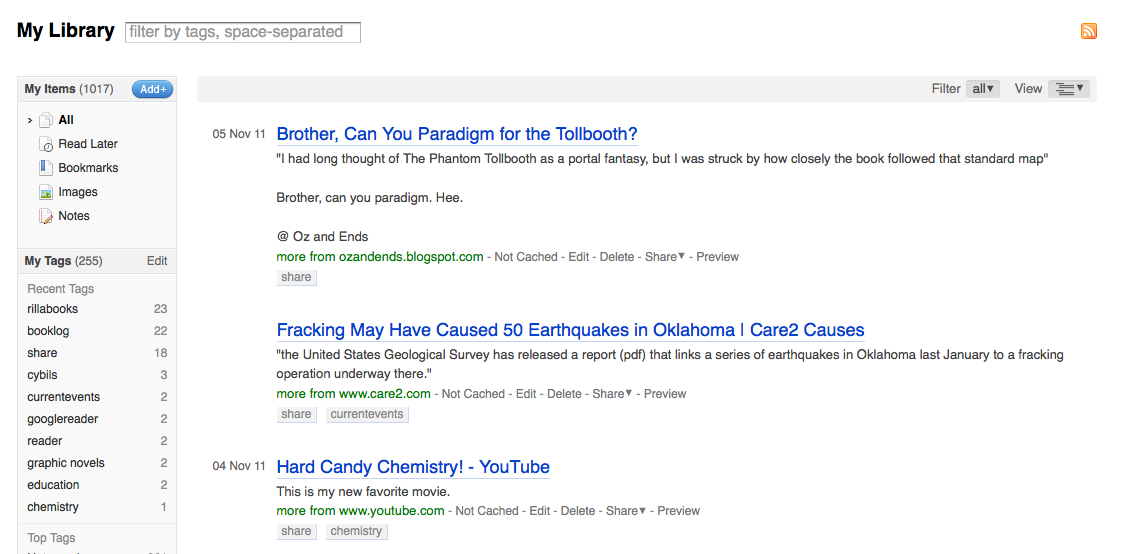
This past week, I’ve experimented with Diigo as my primary linksharing vehicle. I was already using it to share booklists in my sidebar. I love how its widget folds itself neatly into my blog design. And I love that it has an RSS feed so you can subscribe if you’d like. What it’s lacking—and this is a biggie—is reciprocity. As I mentioned yesterday, I don’t like that you can’t comment on links. Sharing isn’t as much fun if it’s one-way.
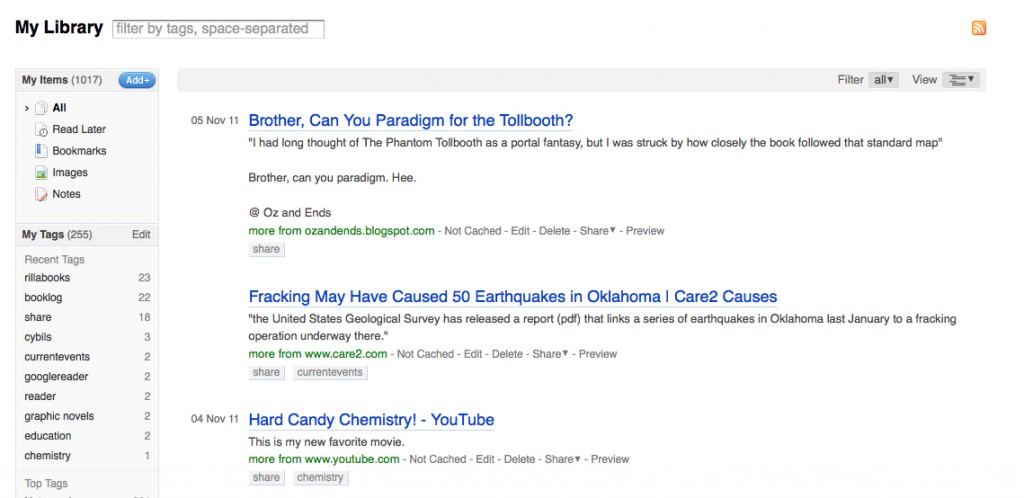 Diigo
Diigo
For a while, I was using Tumblr as a way to archive my own online reading—not necessarily links I wanted to share, but things I’d read and wanted to be able to reference later. I fell out of the habit after a while. (Around the time of Comic-Con, I see, which explains the lapse.) As a sharing platform, it has much to offer: excellent visuals (you can share [and credit!] photos and videos as well as text links); a combox; an RSS feed. But its sidebar widget is incompatible with my blog design. That’s not a dealbreaker; I’m sure there are WordPress plugins for Tumblr feeds, and anyway I’ve got a redesign planned for early next year. (New books, new look.)
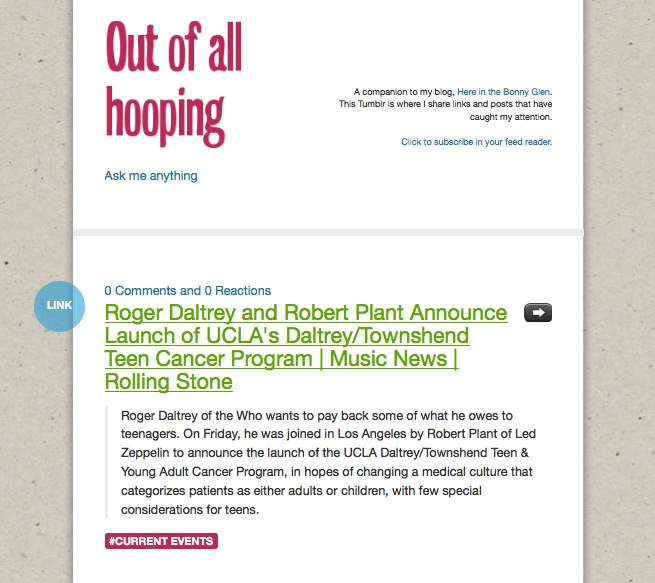
Tumblr
So for now, you may find (and subscribe to) my shared links at both Tumblr and Diigo, your choice. If I decide to let one of them lapse, I’ll let you know.
If you have come up with a replacement for your Google Reader Shared Items, please leave the link in my comments!
Occurs to me I forgot to share yesterday’s GeekMom post, a follow-up to recent posts here on Bonny Glen: Why Curated Content Matters.
My Diigo share widget is working quite well. It’s a satisfactory way for me to share links with others, although it lacks the reciprocity of Reader Share; you can’t comment back on my links. But please always feel free to come here to discuss anything I’ve shared, eh?
Now what I need to know is this: where are YOU sharing curated links now that your handy Reader Share button is no more?
Following up on last night’s post:
I’ve come up with a solution to my Reader-share problem, at least for now. I use Diigo for lots of bookmarking purposes (my [out-of-date] sidebar “Rillabooks” log, for example) and have set up a “share” tag there that will feed into my sidebar here. See “Caught My Eye” under the Recent Comments widget on the right. You can subscribe to an RSS feed of those posts, if you wish. (Click the RSS icon at the bottom of the list, which at this moment contains a single link.)
As I said in the combox the other day, most of what I shared via Reader was different in tone and content from the more newsy links I share via G+, Twitter, Facebook.
I frequently Reader-share posts I find moving, lovely, heartwarming, funny, or thought-provoking—vs. the more informational, newsy link-sharing I do via other platforms. My Reader shares are from blogs I subscribe to & read regularly (stating the obvious, I know). Somehow it feels different to carry a link to FB, Twitter, or G+ and post it: more official, formal, thrusting the post into your stream if you follow me on the platform in question. Whereas with Reader Share, you come to it or follow it only if you *want* that content. Also, those other outlets are so very *public.* If [a friend with a quiet family-focused blog] write[s] a beautiful post I’d like to share, I might be hesitant to do so on G+ where I’m followed by hundreds of people I don’t know—I’ll feel like I’m invading her privacy or something. Sharing via Reader seems more personal.
For now I’m using Feedly to read my blog subscriptions. It has easy sharing to Diigo, Twitter, Facebook, etc. I’ve read that Google may roll out design themes for Reader the way you can get them for Gmail & iGoogle now. If that happens, I may return to Reader for feed-reading.
(Of course now I’m worried about Gmail too. They’re rolling out its redesign soon—you can see what it will look like by clicking the gear icon on your Gmail screen [upper right corner], Mail Settings, Themes. Select the “Preview” theme. More heavy black, excessive white space, ugh ugh ugh. I keep thinking about the design team who undoubtedly worked very hard on the visual elements of this grand Google overhaul—how hard they must have worked & how crushing to have the design met with such resounding disgust all over the internet. Such a bummer.)
Posted the following to Google+ but I like to archive things on my own site.
So. New Reader.
Like:
• Share-to-Google+ is easy and convenient. Which is, of course, what Google is angling for: driving my sharing activity to this platform. Which makes this actually a dislike, because it feels like I’m being manipulated.
Dislike:
• All the white space at the top—ordinarily I’m a fan of white space (I love the clean look of G+, for example), but in New Reader’s case, it serves to push the post text a good bit farther down the page. Means more scrolling, plus I like to start reading near the top of the screen, not a third of the way down. This layout is totally unworkable for smaller screens. (more…)